Backing tracks for cover videos — from splitting the audio to the score
Preparing a vocal or instrument cover? Split the backing track, make a score to play from and fit the key — all with sselmo tools. If it is someone else’s song, check the rights before you post.
- Vocals / backing split
- Split by instrument
- Score to play
- Change key
Backing tracks for cover videos
Backing tracks for cover videos — from splitting the audio to the score
Before recording a cover, split out the backing track and make sheet music in your key.
Use it now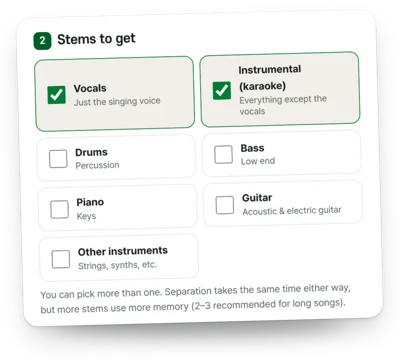
Use it when you want to
- Record a cover of your own song or one you have permission to use
- Practise an instrument cover with that instrument taken out
- Learn the melody from a score before singing over the backing
- Get a score in a lower key that suits your range
How to prepare
- Check the rights firstIs it your own song, or do you have permission? Using the original backing of someone else’s song in a video needs permission from the rights holder.
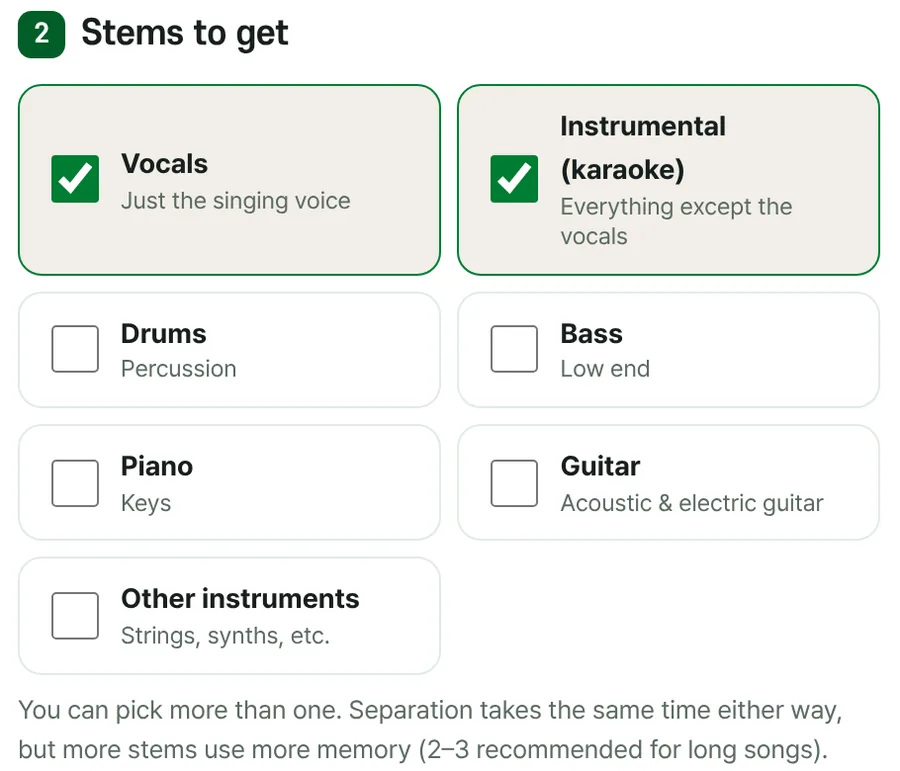
- Split the audioIn the vocal remover, get the Instrumental (karaoke). For an instrument cover, get the other stems — drums, bass, piano, guitar — without your instrument.
- Make a score to playSend the separated audio to the sheet music maker and get a melody and chord score.
- Fit the keyUse ♭ / ♯ on the result to match your range. For an existing score, use the music transposer.
- Print and practiseSave the score as PDF for your music stand.
Real screenshots
Good to know
- Copyright: using or sharing backing tracks pulled from other people’s songs may infringe copyright. sselmo does not check rights for you.
- For your own songs (including songs made with AI services like Suno), also check that service’s terms.
- AI separation isn’t perfect — a little vocal echo may remain in the backing track. Always listen.
- Audio is processed on your device and never sent to a server, so you can split unreleased songs safely.
FAQ
Can I use the backing track in a YouTube cover?
Using the original backing of someone else’s song needs permission from the rights holder. Use sselmo’s backing tracks for personal practice, and check the rights before posting.
Can I take out just my instrument?
The vocal remover gives drums, bass, piano and guitar separately. Download the stems other than your instrument and play along.
Can I change the key?
You can change the key of the score with ♭ / ♯ on the result. Changing the key of the audio itself isn’t available.
Is it free?
Yes. The vocal remover and the sheet music maker are both free with no sign-up.
Just add a file to start — free, no sign-up
sselmo music tools
More guides
- Suno to sheet musicTurn a Suno song into a score
- MP3 to sheet musicTranscribe a song file into notes
- Piano accompaniment makerA piano part from the chords
- Song melody sheet musicMelody score with lyrics & solfège
- Karaoke track makerRemove vocals for a backing track
- Backing track for coversBacking tracks for cover videos
- Export sheet musicPDF, MusicXML or MIDI
© 2026 sselmo (sselmo.com) · Trademark application 40-2026-0132938 · Free tools for everyone
Your audio never goes online — it is processed only in this browser. Suno is a trademark of Suno, Inc. and is not affiliated with sselmo.
The program, design and text on this page are sselmo’s work. Do not copy, modify or redistribute without permission. · Checked 2026-11-21