Suno to sheet music — turn your Suno song into a score
Made a song with Suno and need sheet music for a pianist, a choir or your band? Add the file to the sselmo AI sheet music maker and get a score with melody, chords and lyrics as a PDF.
- Free · no song limit
- No sign-up or install
- Audio stays on your device
- PDF · MusicXML · MIDI
Suno to sheet music
Suno to sheet music — turn your Suno song into a score
Turn a Suno song into sheet music for free.
Use it now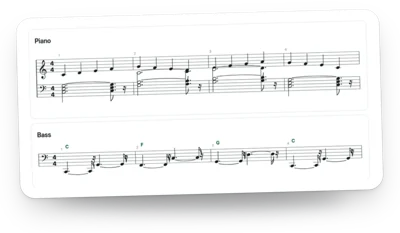
Use it when you want to
- Give a pianist sheet music for a song you made with Suno
- Keep the melody of your song written down on a staff
- Split a Suno song into parts for band or choir practice
- Print a melody score with lyrics to practise singing
How to turn a Suno song into sheet music
- Download the audio from SunoDownload the song from its Suno page. If you have the separate vocals-only file (stem), use it — it is much more accurate than an MP3 with the backing mixed in. Suno’s screens may change.
- Upload it to sselmoUpload the MP3 or WAV. You can also upload a Suno stems zip as is — sselmo sorts the vocals, piano, bass and drums files and makes a score for each part.
- Choose parts and modeUsually pick Vocals (melody) and Piano (accompaniment). 'Quick draft' is fast; 'Precise mode' separates the parts first and takes longer.
- Add lyrics (optional)Paste the lyrics you used in Suno, one phrase per line, and they appear under the vocal notes.
- Check, fix and downloadCompare with ▶ Play and tap wrong notes on the score to fix them. Then save a PDF to print, or MusicXML to keep editing in notation software.
Real screenshots
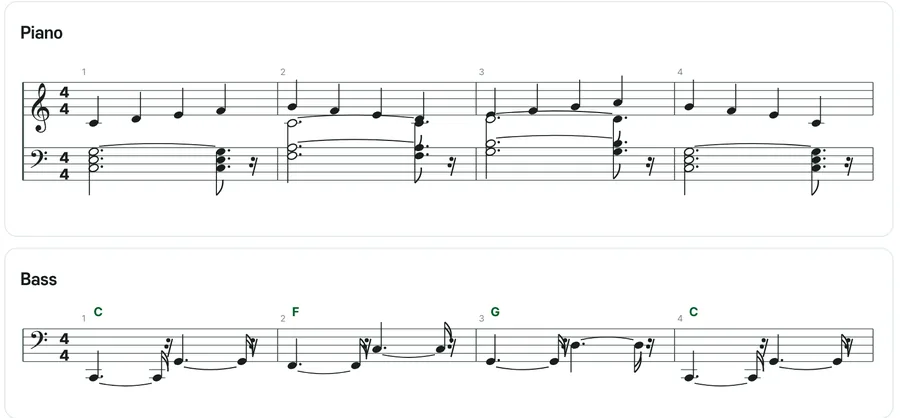
Tips for a more accurate Suno score
- The vocal stem is the most accurate. With no accompaniment mixed in, it gets the fewest wrong notes. Every song is different.
- Suno songs have a lot of reverb, so expect to fix about 1 in 4 notes in the automatic result. Always listen and check.
- No stems? Use the vocal remover to pull out the vocals, then send them straight to the sheet music maker (no second separation).
- The first time, the AI model (up to about 260 MB) is downloaded once. Use Chrome or Edge on a PC over Wi-Fi.
FAQ
Can I turn a Suno song into sheet music?
Yes. Upload the MP3, WAV or stem files from Suno. Use it only on songs you own the rights to or are allowed to use.
Can I upload the Suno stems zip as is?
Yes. sselmo sorts the vocals, piano, bass and drums files and makes a score for each part without AI separation — the fastest and most accurate way.
Will the lyrics show on the score?
Paste the lyrics one phrase per line and they appear under the vocal notes. If a line is off, move it with the ◀ ▶ buttons.
Is it really free?
Yes. Free, no sign-up, no login and no limit on the number of songs.
Is my song uploaded anywhere?
No. The audio is processed only in your browser and never sent to sselmo’s server.
Just add a file to start — free, no sign-up
sselmo music tools
More guides
- Suno to sheet musicTurn a Suno song into a score
- MP3 to sheet musicTranscribe a song file into notes
- Piano accompaniment makerA piano part from the chords
- Song melody sheet musicMelody score with lyrics & solfège
- Karaoke track makerRemove vocals for a backing track
- Backing track for coversBacking tracks for cover videos
- Export sheet musicPDF, MusicXML or MIDI
© 2026 sselmo (sselmo.com) · Trademark application 40-2026-0132938 · Free tools for everyone
Your audio never goes online — it is processed only in this browser. Suno is a trademark of Suno, Inc. and is not affiliated with sselmo.
The program, design and text on this page are sselmo’s work. Do not copy, modify or redistribute without permission. · Checked 2026-11-21