Save sheet music as PDF, MusicXML or MIDI
Score finished? Pick the file for what you’ll do next: PDF to print, MusicXML to keep editing in notation software, MIDI to hear it as sound.
- PDF print
- MusicXML
- MIDI
- ZIP of everything
Save sheet music as PDF, MusicXML or MIDI
How to download sheet music made with the sselmo AI sheet music maker as PDF (print), MusicXML (edit in MuseScore and others), MIDI or a ZIP
Use it now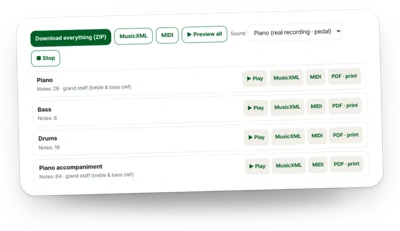
Which file should I get?
- PDF — to print, or to read on a phone or tablet while you play
- MusicXML — to open and keep editing in notation software such as MuseScore, Sibelius or Dorico
- MIDI — to play the notes as sound or bring them into a DAW
- ZIP — to keep every part and format together
How to save
- Make the scoreUpload a song or MIDI file and make sheet music.
- Check and fixCompare with ▶ Play and fix wrong notes. Every fix is saved automatically in this browser.
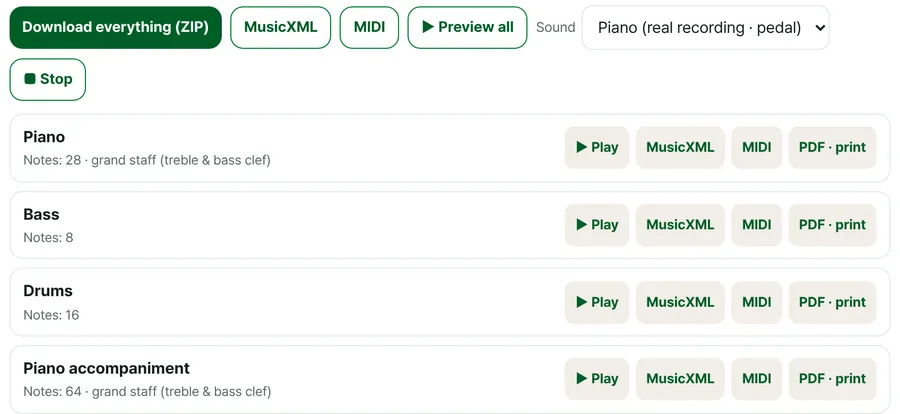
- Pick a fileUse the download row for Download everything (ZIP), MusicXML or MIDI, or the buttons on each part for MusicXML · MIDI · PDF.
- Make a PDFPress 'Save as PDF / print' and choose 'Save as PDF' in the print window.
- Keep a copyYour work is saved only in this browser. It disappears if you clear browser data and won’t show on other devices, so download a ZIP when you are done.
Real screenshots
Good to know
- sselmo’s basic score does not add triplets or slurs. For detailed edits, open the MusicXML in notation software like MuseScore.
- MIDI tracks are sorted by instrument number (General MIDI), so the sounds may differ from the original.
- On a phone, 'Save melody score as image' is handy.
- The README.txt in the ZIP lists the methods and corrections used for that transcription.
FAQ
Which programs open MusicXML?
Most notation software, including MuseScore (free), Sibelius and Dorico.
What is the difference between PDF and MusicXML?
A PDF is a picture for viewing and printing and can’t be edited; MusicXML holds the notes, so notation software can edit it.
Can I download each part separately?
Yes. Each part has its own MusicXML, MIDI and PDF buttons.
Where is my work saved?
Only in this browser. Download the files to use them on another device.
Just add a file to start — free, no sign-up
sselmo music tools
More guides
- Suno to sheet musicTurn a Suno song into a score
- MP3 to sheet musicTranscribe a song file into notes
- Piano accompaniment makerA piano part from the chords
- Song melody sheet musicMelody score with lyrics & solfège
- Karaoke track makerRemove vocals for a backing track
- Backing track for coversBacking tracks for cover videos
- Export sheet musicPDF, MusicXML or MIDI
© 2026 sselmo (sselmo.com) · Trademark application 40-2026-0132938 · Free tools for everyone
Your audio never goes online — it is processed only in this browser. Suno is a trademark of Suno, Inc. and is not affiliated with sselmo.
The program, design and text on this page are sselmo’s work. Do not copy, modify or redistribute without permission. · Checked 2026-11-21